POS system for Sri Lanka
A POS system built for Sri Lankan counters, not adapted for them
Opernexa POS handles a queue at 7am, a cash-up at close and a head-office question at midnight — across one outlet or twenty, on one shared item list.
What POS & Cash does
Billing fast enough for a morning queue
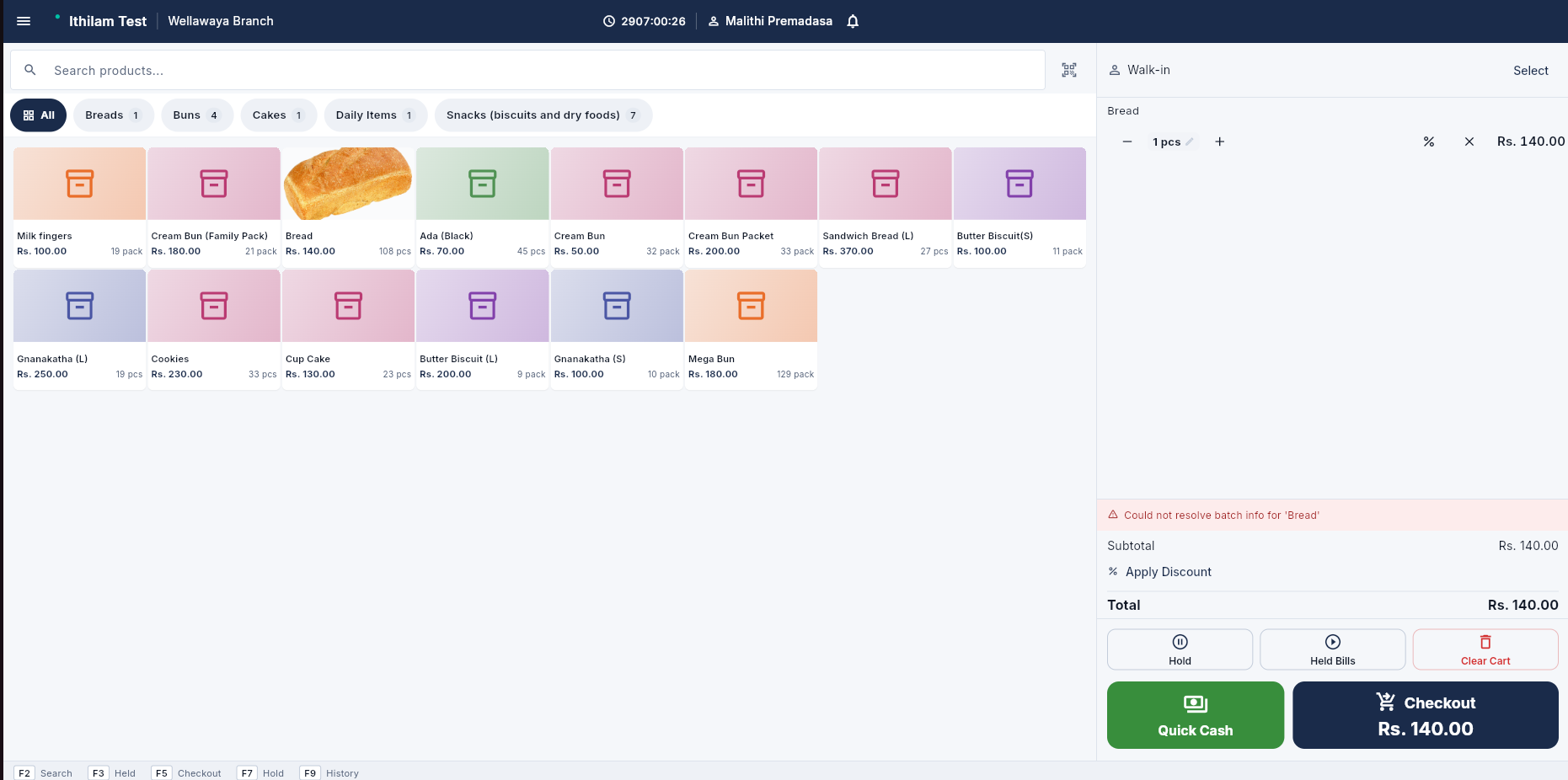
Keyboard-first entry with barcode scanning, quick keys for the items you sell all day, and held bills for the customer who forgot something. Cashiers get through a rush without waiting on the screen.
Every branch on one item list
Items, prices and promotions are maintained centrally and pushed to every counter. Change a price once and it is correct everywhere — no more three outlets selling the same bun at three prices.
Shift control and cash-up that adds up
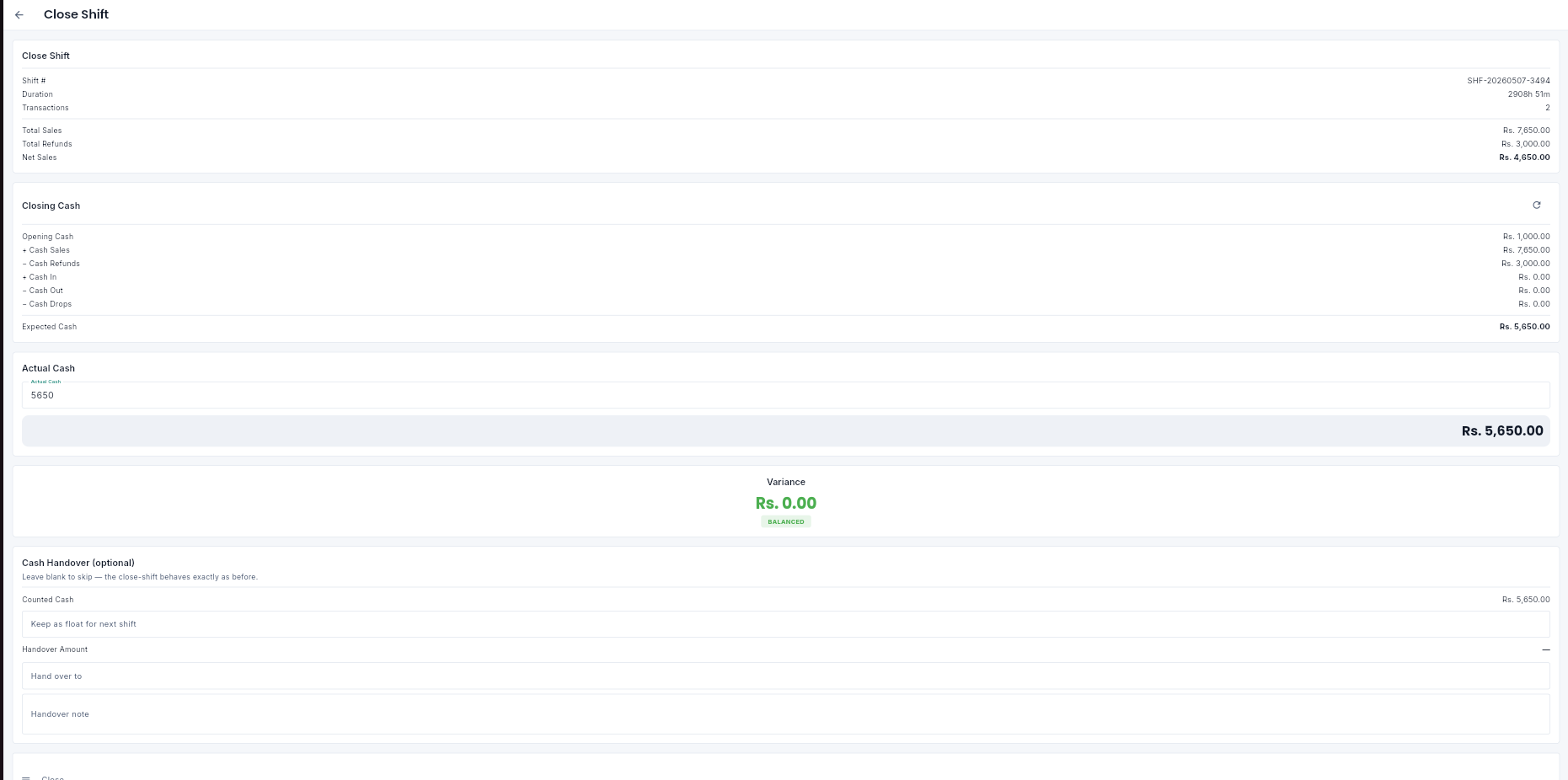
Opening float, cash drops, expected cash and counted cash, with the variance recorded against the shift and the cashier. Disputes become a report rather than an argument.
The payment methods your customers actually use
Cash, card, QR wallets and customer credit accounts on the same bill, including part payments. Credit sales post straight to the customer’s balance for collection later.
Receipts in Sinhala, Tamil or English
Print the receipt your customer can read, with your branch details, item descriptions and tax lines laid out correctly. VAT-ready document formats are built in.
Live sales, without waiting for the books
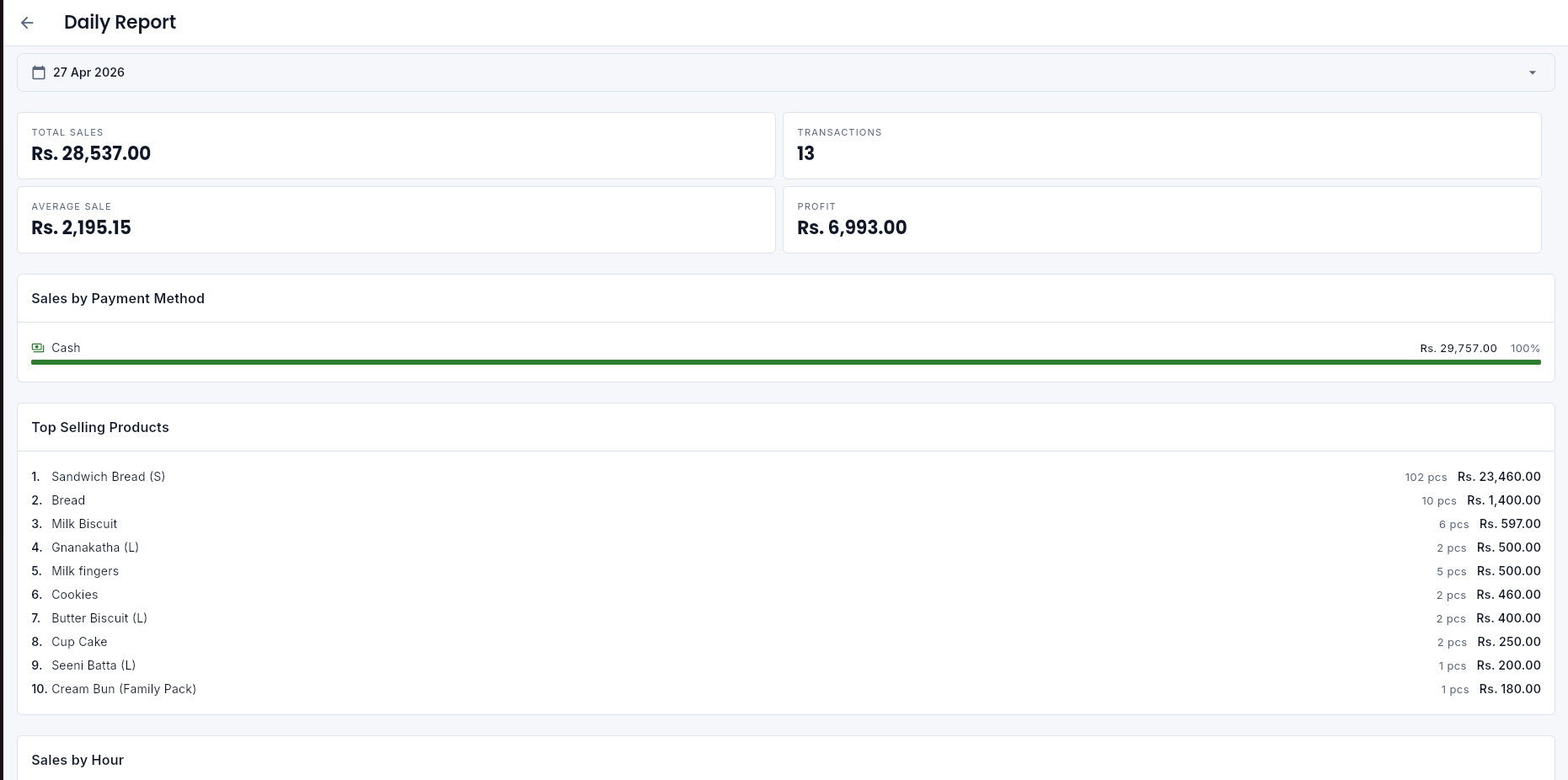
See today’s takings by branch, by hour and by item from your phone. The owner’s first question every evening stops needing a phone call to answer.
POS & Cash
Inside Opernexa
Product screenshots are captured from the real system — never mocked up.
Works with
POS is where the data starts
Every sale rung up at the counter moves stock, feeds tomorrow’s production plan and lands in the day’s cash position — because these are one system.
- Inventory & StockOne accurate stock figure per item per location, with batch, expiry and reorder control built in.
- Distribution & Field SalesVan sales and field reps working offline, with day-end reconciliation that adds up on its own.
- HR & PayrollAttendance, leave and monthly payroll with EPF, ETF and APIT calculated as standard.
Frequently asked questions
Straight answers to what businesses ask us before they buy.
Does Opernexa POS work without an internet connection?
Yes. Opernexa POS keeps billing when the connection drops, storing sales locally and syncing them the moment the line comes back. Your counter never stops because your ISP did. Reporting at head office catches up automatically once the branch reconnects.
Can I run more than one branch on Opernexa POS?
Yes — multi-branch is the normal case, not an add-on. All branches share one item list and price list maintained from head office, while each keeps its own stock, shifts and cash-ups. You can compare branch performance side by side in one dashboard.
Can Opernexa print receipts in Sinhala and Tamil?
Yes. Receipts, item descriptions and document headings can be printed in Sinhala, Tamil or English, and you can set a different default per branch. The same applies to the cashier interface, so staff work in the language they are comfortable in.
Does Opernexa POS handle VAT?
Yes. Items carry their own tax treatment, receipts print VAT-compliant document formats, and the tax collected is summarised for your returns. Your accountant gets a report rather than a shoebox.
What hardware do I need to run Opernexa POS?
A standard Windows or Android machine, a thermal receipt printer, a barcode scanner and a cash drawer. Opernexa runs in the browser, so there is no heavy install per terminal. Most businesses keep the hardware they already own.
Will Opernexa work with my existing scanner, printer and cash drawer?
In almost all cases yes. Opernexa supports standard USB and serial barcode scanners, ESC/POS thermal printers and drawers triggered from the printer. We check your specific hardware during setup before you commit to anything.
See Opernexa POS on your own items
We will load a handful of your products and show you a real sale, a real cash-up and a real branch report.